
You may see this warning message when trying to download our installer: DelimitSetup.exe, when using Microsoft Edge or some other browser. Microsoft Edge and Microsoft Defender SmartScreen may block new downloads and the execution of such, hence the warning message. To circumvent this you can do the following:
- Move your mouse over the message to expose the option buttons (a trashcan and a tree-dot button), click on the three-dot button to show a drop-down menu:
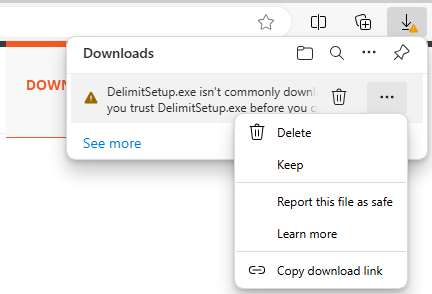
- Click on "Keep"
- MS Edge and MS SmartScreen will likely show another warning, again because the file is new and not commonly downloaded:
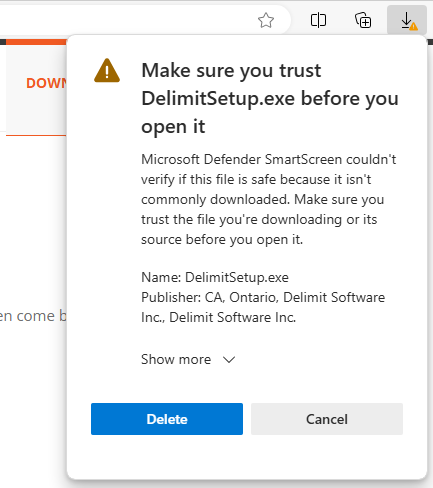
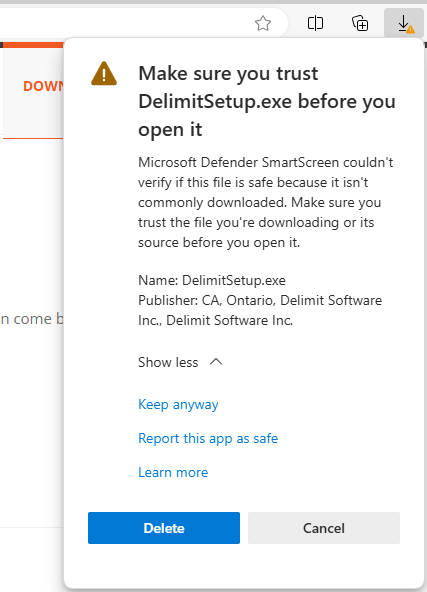
- Notice the Publisher info, which is us. Click on "Show more" and then on "Keep anyway":
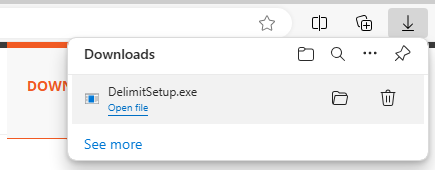
- Now you can click on the downloaded file to run the installer:
- After clicking on DelimitSetup.exe, you may get another warning:
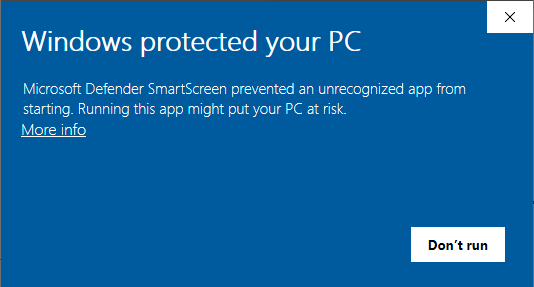
- Click on "More info", notice again the Publisher info, which is us:
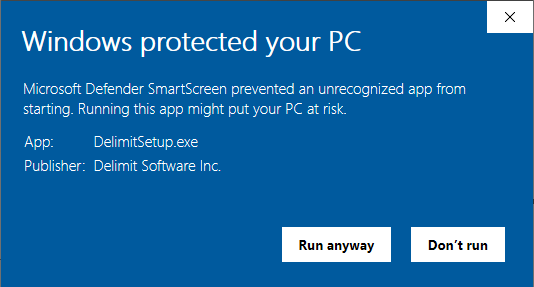
- Click on "Run anyway".